
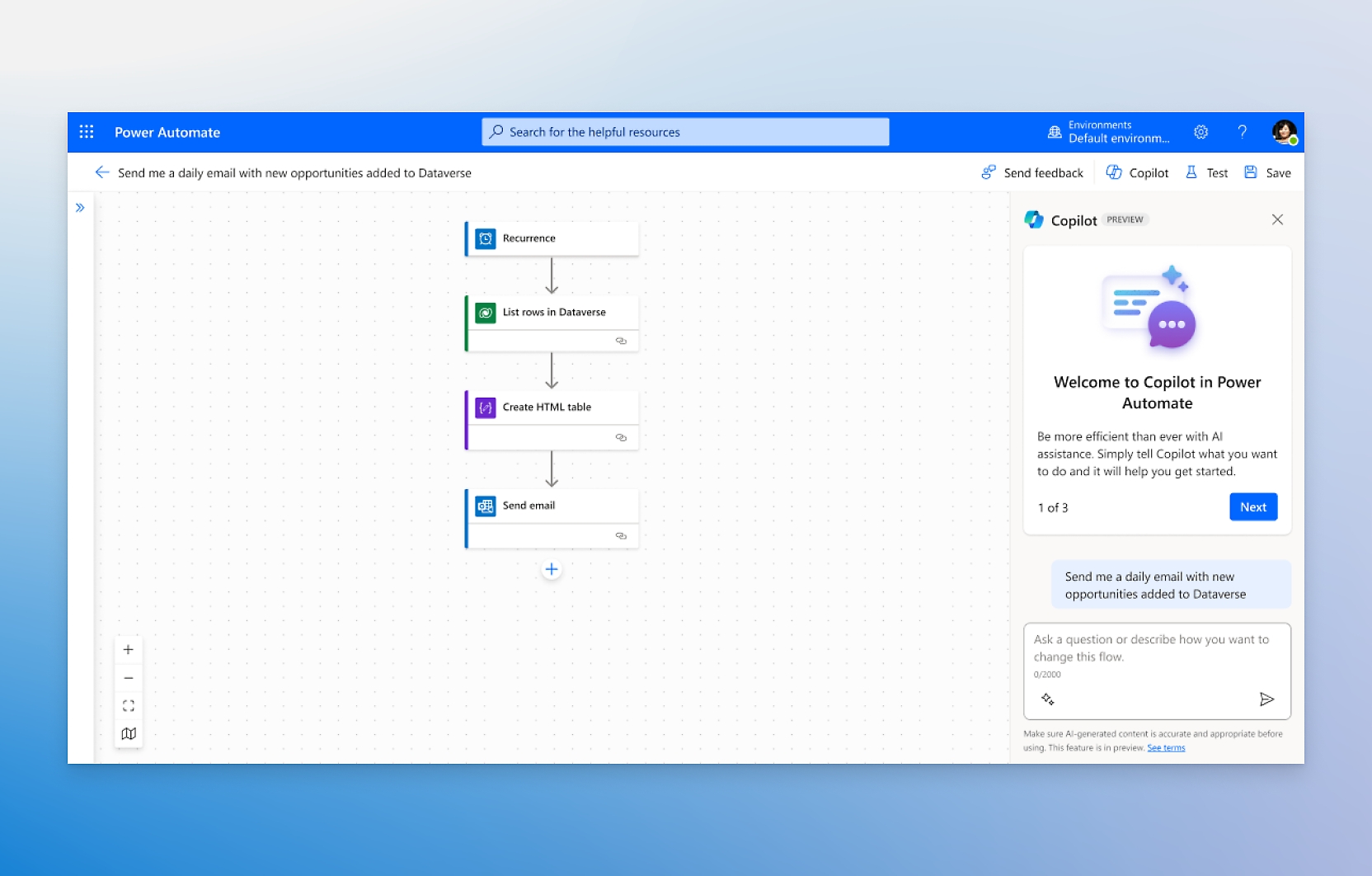
Microsoft Power Automate has emerged as a cornerstone of the modern digital workplace, offering robust solutions for business process workflow automation. As organizations increasingly rely on data-driven decision-making, the need for seamless integration between disparate applications has never been more critical. Power Automate addresses this challenge by enabling users to create automated workflows, or "flows," that connect their favorite apps and services, streamline repetitive tasks, and enhance overall productivity without requiring extensive coding knowledge.
Core Capabilities of Power Automate
At its heart, Power Automate is a low-code/no-code platform that allows business users to design and deploy automation solutions. The tool supports a vast library of connectors, linking popular Microsoft 365 applications like Outlook, Teams, and SharePoint with third-party services such as Salesforce, SAP, and custom APIs. This connectivity ensures that data flows smoothly across the enterprise, reducing manual entry errors and freeing up employees to focus on higher-value strategic initiatives.
Integration with Artificial Intelligence
One of the most significant advancements in recent updates is the deep integration of artificial intelligence. Power Automate now leverages AI Builder to automate complex tasks that previously required human intervention. For instance, users can automatically extract data from unstructured documents like invoices, receipts, and contracts. This capability transforms raw data into actionable insights, accelerating processes such as accounts payable and customer onboarding.
Power Automate helps you automate your business processes by creating workflows that connect your favorite apps and services.
This statement underscores the platform's primary value proposition: simplicity and connectivity. By abstracting the complexity of backend integrations, Microsoft empowers non-technical staff to become "citizen developers," capable of building their own automation tools to solve specific departmental challenges.
Practical Impact on Enterprise Operations
The practical impact of adopting Power Automate is multifaceted. First, it significantly reduces operational costs by minimizing the time spent on manual, repetitive tasks. Second, it improves data accuracy, as automated workflows eliminate the risk of human error associated with copy-pasting information between systems. Third, it enhances scalability; as business volumes increase, automated workflows can handle the load without requiring proportional increases in headcount.
For IT departments, Power Automate offers centralized governance and monitoring. Administrators can track flow usage, manage permissions, and ensure compliance with security policies. This balance between user autonomy and IT oversight makes it a viable solution for large-scale enterprise deployments.
Key Use Cases
- Invoice Processing: Automatically extract data from PDF invoices, validate entries, and route them for approval in ERP systems.
- Customer Support: Trigger automated responses in Teams or email based on ticket keywords, and log interactions in CRM platforms.
- HR Onboarding: Create user accounts, send welcome emails, and assign training modules when a new employee is added to the directory.

What to Watch Next
As AI technology continues to evolve, Microsoft is expected to deepen the AI capabilities within Power Automate. Future updates may include more sophisticated natural language processing for document understanding and predictive analytics that suggest optimal workflow adjustments. Additionally, the expansion of the connector library will likely continue, supporting newer cloud-native services and IoT devices.
Organizations looking to adopt Power Automate should start with small, high-impact use cases to demonstrate value. It is crucial to establish clear governance policies from the outset to prevent "shadow IT" risks. By leveraging this tool, businesses can achieve a more agile, efficient, and data-centric operation, positioning themselves competitively in an increasingly automated market.
In conclusion, Microsoft Power Automate is not just a tool for automation; it is a strategic asset for digital transformation. By combining ease of use with powerful AI features, it enables businesses to reimagine their workflows and unlock new levels of productivity.