
Transforming Manual Workflows with Intelligent Automation
In the rapidly evolving landscape of enterprise technology, the ability to streamline operations is no longer a competitive advantage but a fundamental requirement for survival. Microsoft has positioned its Power Platform as a central pillar in this shift, with Power Automate serving as the primary engine for business process workflow automation. For technical readers and business leaders alike, understanding the capabilities of this tool is essential for navigating the future of digital operations. Power Automate allows organizations to connect disparate applications, services, and devices, creating seamless workflows that reduce human error and accelerate task completion.
The Core Mechanics of Power Automate
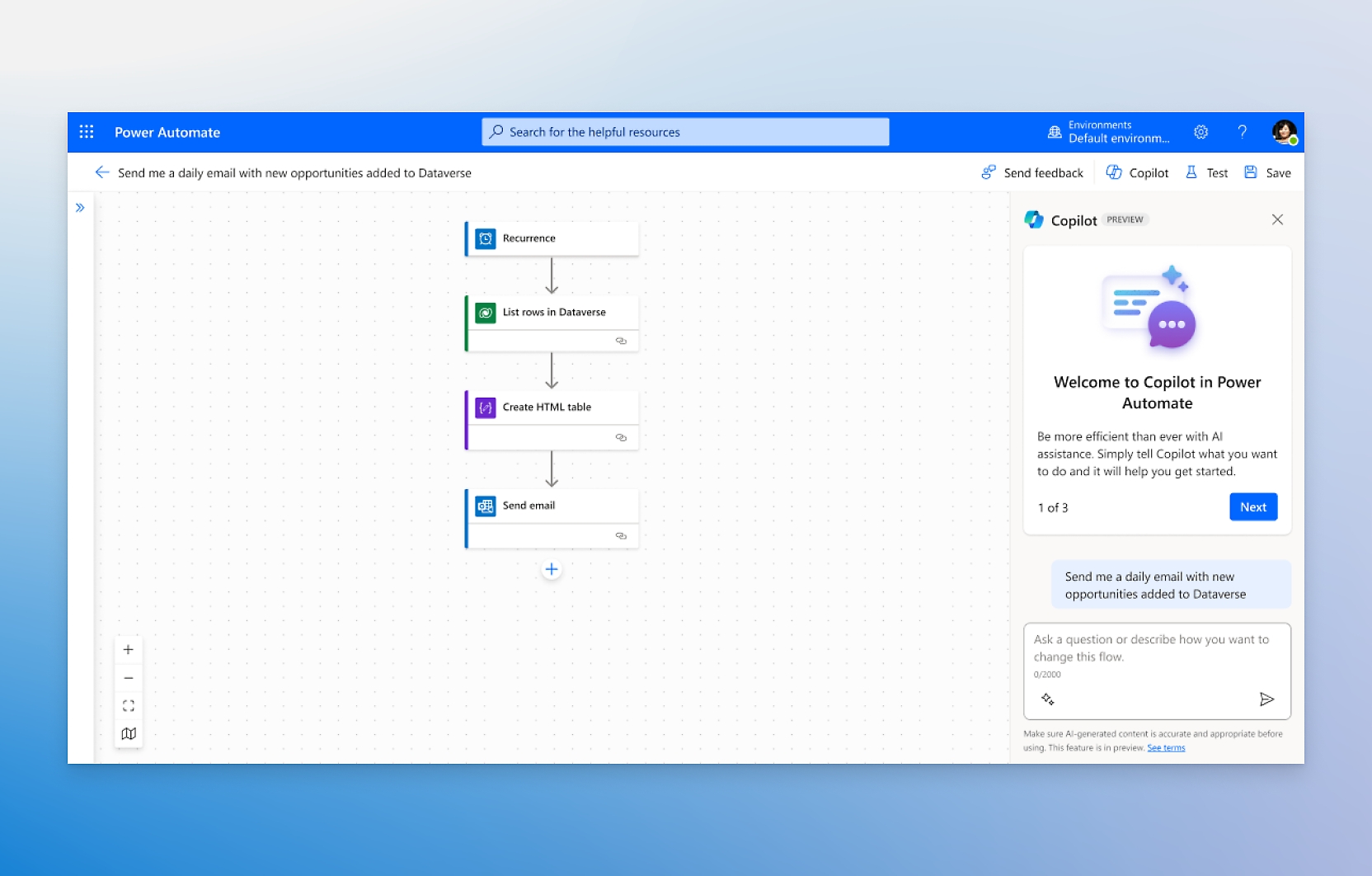
At its core, Power Automate operates on a trigger-action model. A trigger is an event that starts the flow, such as receiving a new email or a file being uploaded to a cloud storage service. Once triggered, the system executes a series of actions, which can range from simple data entry to complex API calls. This architecture enables users to automate repetitive tasks without requiring extensive coding knowledge, although it also supports advanced logic for developers who need to integrate custom scripts or utilize Power Apps for user interface components.
The platform is deeply integrated into the Microsoft 365 ecosystem. This means that native connectors for Outlook, Teams, SharePoint, and Excel are readily available, reducing the friction involved in setting up common business processes. For example, a sales team can automate the process of logging customer interactions from Teams chats directly into a CRM system, ensuring data consistency and freeing up time for strategic activities.
Strategic Impact on Enterprise Operations
The practical impact of implementing Power Automate extends beyond simple time savings. It fundamentally changes how organizations approach process management. By documenting and automating workflows, companies gain greater visibility into their operational bottlenecks. This transparency allows for more accurate resource allocation and better decision-making. Furthermore, automation reduces the risk of human error, which is particularly critical in industries such as finance and healthcare where data accuracy is paramount.
Power Automate helps you automate your business processes, connect your apps and services, and create intelligent workflows.
This statement from Microsoft encapsulates the dual nature of the tool: it is both a connector for existing systems and a creator of new, intelligent processes. The term "intelligent workflows" is significant, as it implies the integration of AI capabilities. Power Automate can leverage AI Builder to process unstructured data, such as extracting information from invoices or identifying sentiment in customer feedback, thereby adding a layer of cognitive automation to traditional rule-based workflows.
Security and Governance Considerations
As with any enterprise tool, security is a primary concern. Power Automate inherits the security model of the Microsoft 365 environment, which includes role-based access control and data loss prevention policies. Organizations can define who has the ability to create, edit, or run flows, ensuring that sensitive processes are protected. Additionally, the platform provides logging and monitoring capabilities, allowing IT administrators to track flow execution and identify potential issues before they impact business operations.
What to Watch Next in the Automation Landscape
Looking ahead, the evolution of Power Automate is closely tied to the broader trends in artificial intelligence and low-code development. Microsoft is expected to continue expanding its library of AI-powered connectors, enabling more sophisticated automation scenarios. The integration of generative AI could further lower the barrier to entry, allowing users to describe their desired workflow in natural language and have the system generate the corresponding logic.
For technical readers, the key areas to monitor include the expansion of on-premises data gateway capabilities, which will determine how effectively Power Automate can interact with legacy systems. Additionally, the development of more robust error handling and debugging tools will be crucial for maintaining the reliability of complex automated processes. As businesses increasingly rely on automation to drive efficiency, the ability to manage and optimize these workflows will become a critical skill set for IT professionals.

Conclusion
Microsoft Power Automate represents a significant step forward in business process automation. By providing a flexible, secure, and integrated platform for connecting applications and automating tasks, it empowers organizations to operate more efficiently and effectively. As the tool continues to evolve with new AI capabilities and deeper integrations, its role in the enterprise technology stack will only grow. For those looking to stay ahead in the automation race, mastering Power Automate is not just a technical necessity but a strategic imperative.