
Microsoft Power Automate: The Strategic Shift in Enterprise Workflow Automation
In the rapidly evolving landscape of enterprise technology, the ability to streamline operations without extensive coding has become a critical competitive advantage. Microsoft has positioned Power Automate as a cornerstone of its Power Platform, offering a robust solution for business process workflow automation. For technical readers and IT decision-makers, understanding the nuances of this tool is essential for modernizing legacy systems and enhancing operational efficiency. This article explores the capabilities, practical applications, and future trajectory of Power Automate within the broader Microsoft ecosystem.
Defining the Scope of Power Automate
Power Automate is not merely a simple task scheduler; it is a comprehensive automation engine designed to connect disparate applications, services, and devices. It allows organizations to create automated workflows that trigger actions based on specific events. For instance, a new email arrival can trigger a data entry into a CRM system, or a file upload to SharePoint can initiate a complex approval chain. The platform supports both cloud-based and on-premises data sources, bridging the gap between modern SaaS applications and traditional enterprise infrastructure.
Integration with the Microsoft Ecosystem
One of the primary strengths of Power Automate is its deep integration with other Microsoft products. It seamlessly interacts with Microsoft 365 applications such as Outlook, Teams, and Excel. This native connectivity reduces the friction often associated with third-party integrations. Furthermore, Power Automate connects with thousands of other services, including Salesforce, SAP, and various IoT platforms, making it a versatile hub for cross-platform data exchange.
Practical Impact on Business Operations
The practical impact of deploying Power Automate is significant. By automating repetitive, manual tasks, organizations can reduce human error and free up employees to focus on higher-value activities. For example, in finance departments, automated reconciliation processes can save hundreds of hours per month. In human resources, onboarding workflows can be streamlined to ensure that new hires receive necessary access rights and training materials promptly.
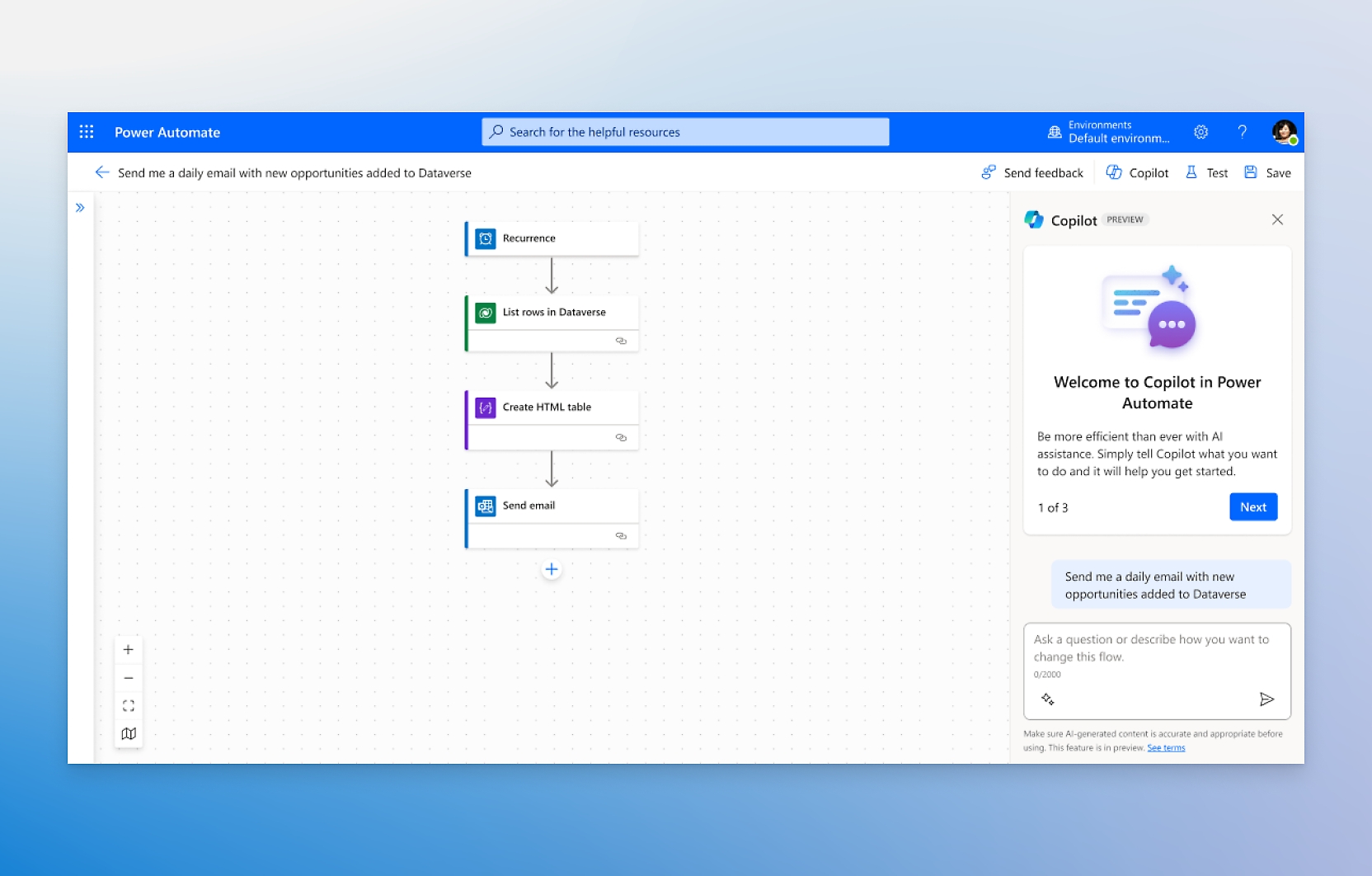
Power Automate enables organizations to build custom workflows that connect their apps and services, allowing them to automate repetitive tasks and streamline business processes.
This level of automation is not just about speed; it is about consistency. Automated workflows ensure that processes are executed exactly as defined, creating an audit trail that is invaluable for compliance and security purposes. For IT teams, this means less time spent troubleshooting manual errors and more time focused on strategic initiatives.
Low-Code and No-Code Accessibility
A key differentiator for Power Automate is its low-code and no-code interface. This democratizes automation, allowing business users who may not have a background in software development to create and manage workflows. This shift empowers non-technical staff to identify bottlenecks in their own departments and implement solutions directly, fostering a culture of continuous improvement. However, for complex scenarios, professional developers can utilize advanced features, including custom connectors and API calls, to build sophisticated solutions.
Security and Governance Considerations
As with any powerful automation tool, security and governance are paramount. Power Automate integrates with Microsoft’s identity and access management systems, ensuring that only authorized users can create, modify, or execute workflows. Organizations can implement policies to control which connectors are available and restrict access to sensitive data. Additionally, the platform provides monitoring and logging capabilities, allowing IT administrators to track workflow performance and identify potential security risks.
Scalability and Performance
Power Automate is designed to scale with the organization. Whether a company has a few dozen users or thousands, the platform can handle the load. It supports parallel processing and can manage large volumes of data, making it suitable for enterprise-wide deployments. However, IT teams must be mindful of licensing and capacity planning to ensure optimal performance and cost efficiency.
What to Watch Next
As Microsoft continues to invest in artificial intelligence and machine learning, Power Automate is expected to evolve further. Future updates may include more advanced AI-driven insights, predictive analytics, and enhanced natural language processing capabilities. These features could allow users to describe workflows in plain language, with the system automatically generating the underlying logic. Additionally, we can expect deeper integration with Microsoft’s AI services, such as Azure OpenAI, to create more intelligent and adaptive automation solutions.
For technical readers, it is important to stay updated on the latest features and best practices. Microsoft regularly releases new connectors and updates to the platform, expanding its capabilities and addressing emerging needs. Engaging with the community and participating in beta programs can provide early access to these innovations and valuable insights from other users.

Conclusion
Microsoft Power Automate represents a significant step forward in business process workflow automation. By combining ease of use with powerful integration capabilities, it empowers organizations to streamline operations, reduce costs, and improve efficiency. As the platform continues to evolve with AI and machine learning, its potential to transform business processes will only grow. For IT leaders and technical professionals, mastering Power Automate is no longer optional; it is a critical skill for driving digital transformation and maintaining a competitive edge in the modern enterprise.