
Microsoft Power Automate: The Engine of Modern Business Process Automation
In the rapidly evolving landscape of enterprise technology, the ability to streamline operations without extensive coding has become a critical competitive advantage. At the forefront of this shift is Microsoft Power Automate, a robust platform designed to handle business process workflow automation. For technical readers and IT decision-makers, understanding the capabilities of this tool is essential for navigating the future of digital transformation. This article explores how Power Automate integrates with the broader Microsoft ecosystem to create seamless, automated workflows that reduce manual effort and enhance productivity.
Understanding the Core Functionality
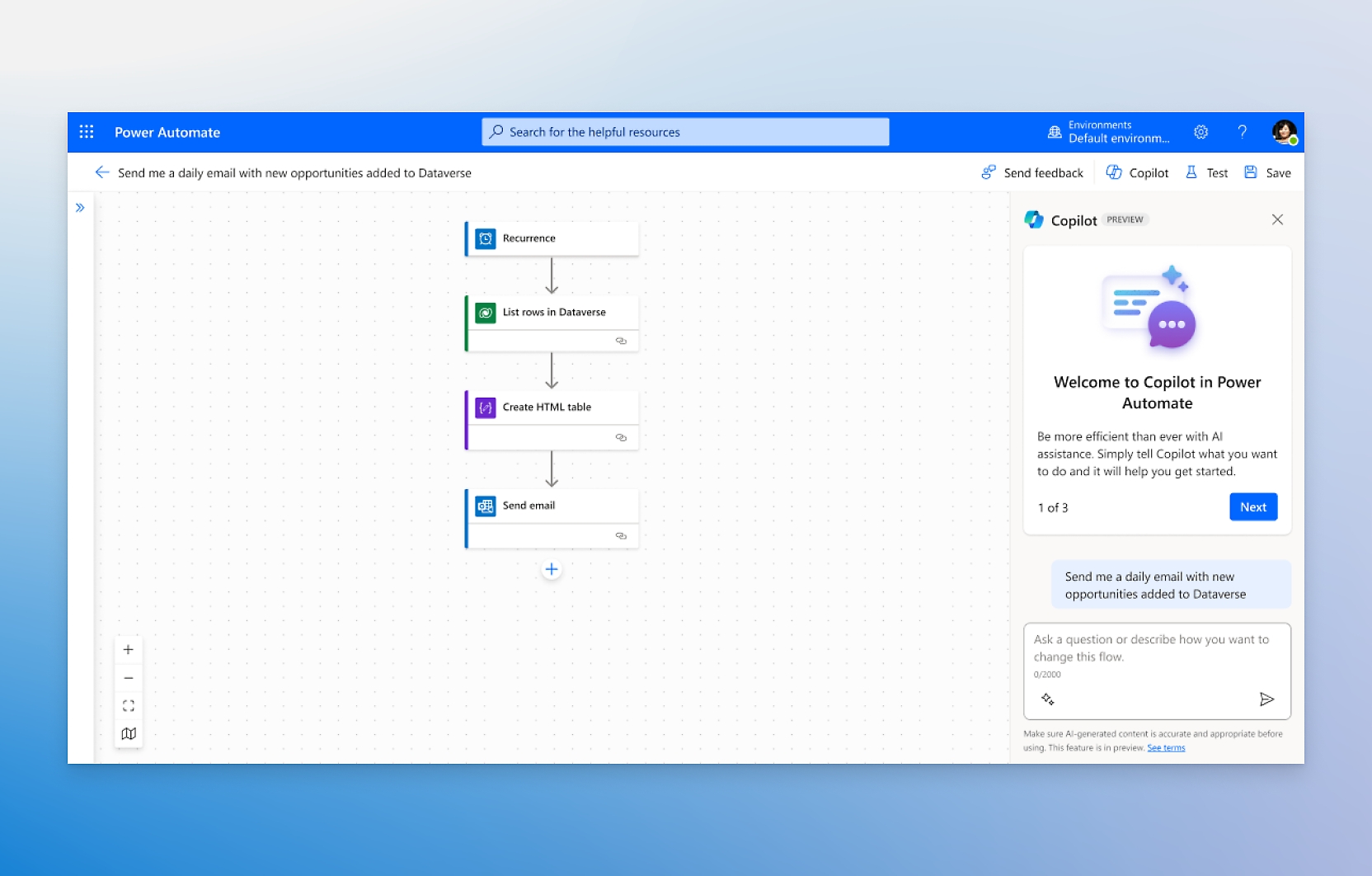
Power Automate serves as a central hub for creating automated workflows, known as flows, that connect various applications and services. Unlike traditional scripting methods that require deep programming knowledge, Power Automate utilizes a visual designer and a vast library of pre-built connectors. This approach allows users to define triggers and actions in a logical, step-by-step manner. The platform supports both cloud-based and on-premises data sources, ensuring that organizations can automate processes regardless of their infrastructure setup.
Integration with the Microsoft Ecosystem
One of the primary strengths of Power Automate is its native integration with Microsoft 365 applications, including Outlook, Teams, SharePoint, and Excel. This deep connectivity means that common business tasks, such as routing emails to specific channels or updating spreadsheets based on form submissions, can be automated with minimal configuration. Furthermore, the platform extends beyond Microsoft’s own products, offering connectors for thousands of third-party services. This interoperability ensures that Power Automate can act as a bridge between disparate systems, creating a unified operational environment.
Power Automate enables users to automate repetitive tasks and connect their favorite apps and services, allowing them to focus on more strategic work.
Practical Impact on Business Operations
The practical impact of implementing Power Automate is significant. By automating routine processes, organizations can reduce human error and free up employee time for higher-value activities. For example, a finance team can automate invoice processing by triggering a flow when a new email with an attachment is received. The flow can then extract data from the invoice, validate it against existing records, and update the accounting system. This not only speeds up the process but also improves data accuracy.
Enhancing Collaboration and Communication
Power Automate also plays a crucial role in enhancing collaboration. It can send notifications to specific teams or individuals when certain conditions are met, ensuring that stakeholders are informed in real-time. For instance, when a project milestone is reached in a project management tool, a flow can automatically post an update to a Microsoft Teams channel and send a summary email to the project sponsor. This level of automation fosters transparency and keeps all parties aligned without the need for manual follow-ups.
Security and Governance Considerations
As with any enterprise tool, security and governance are paramount. Power Automate provides robust security features, including role-based access control and audit logging. Administrators can define who can create and run flows, ensuring that only authorized users can modify critical processes. Additionally, the platform supports data loss prevention (DLP) policies, which help organizations control how data is moved between different connectors. This is particularly important for companies operating in regulated industries where data privacy is a top priority.
Monitoring and Optimization
Effective use of Power Automate requires ongoing monitoring and optimization. The platform provides insights into flow performance, allowing administrators to identify bottlenecks or errors. By analyzing these metrics, organizations can refine their workflows to improve efficiency and reliability. Regular reviews of automated processes ensure that they continue to meet business needs as operations evolve.
What Readers Should Watch Next
As AI technologies continue to advance, the integration of artificial intelligence into workflow automation is a key area to watch. Microsoft is likely to introduce more AI-driven features that can predict outcomes, suggest optimizations, and even generate flows based on natural language descriptions. These advancements will further lower the barrier to entry for automation, enabling a wider range of users to leverage the power of Power Automate. Additionally, the expansion of the connector library will continue to broaden the platform's reach, supporting an ever-growing number of applications and services.
For technical readers, staying informed about these developments is crucial. Understanding how AI can enhance workflow automation will be key to maximizing the return on investment in Power Automate. By keeping an eye on new features and best practices, organizations can ensure that their automation strategies remain competitive and effective.

Conclusion
Microsoft Power Automate stands as a cornerstone of modern business process automation. Its ability to connect diverse applications, streamline workflows, and enhance collaboration makes it an indispensable tool for organizations seeking to improve efficiency. As the platform continues to evolve with new AI capabilities and expanded integrations, its role in the digital workplace will only grow. By adopting Power Automate, businesses can not only reduce operational costs but also empower their employees to focus on strategic initiatives that drive growth and innovation.